WebGL Canvas Component
Thu May 19 2022
A tutorial in which I will show you how to make a react Canvas component that will use the WebGL context. Allowing the creation of a fragment shader previewer/editor.
Purpose
The purpose of this tutorial is to show how to create a reusable Canvas component that will use the WebGL context. Hopefully with the results that we will have an editor with preview, much like how the Book of Shaders website has.
Assumptions
You will need some understanding of react. And modern build tools like WebPack and Babel.
Some basic understanding of configuring WebPack.
Inspiration
The editors and preview applications on The Book Of Shaders web page.
Result
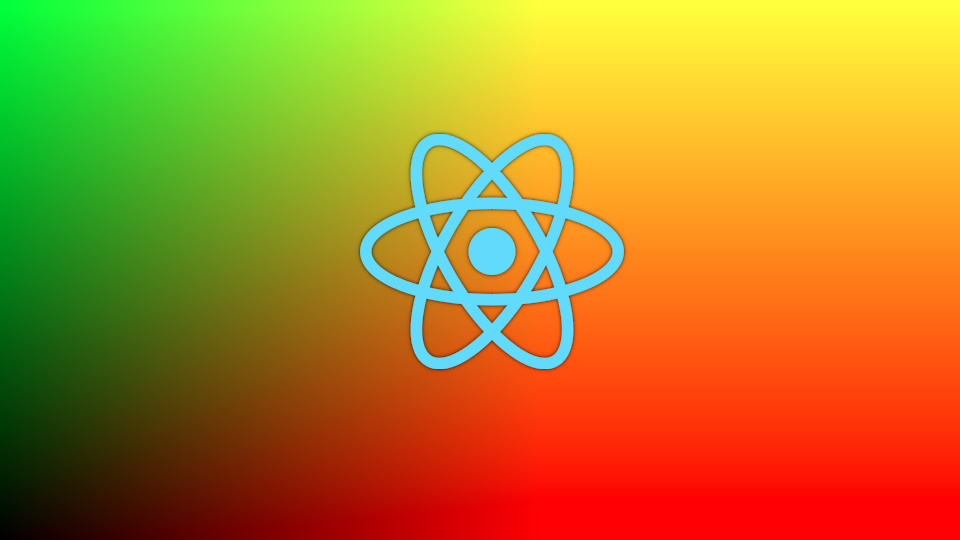
Hover the mouse over the canvas to the right to see the results.
Setup
For development purposes we will be creating this component in a create-react-app.
Start by running:
npx create-react-app canvas-shader
cd canvas-shader
npm i
We will eject it right after as well as we need to update the resource loading. We would like to eventually load the shaders from files. Rather than a string variable. Run the following command in the root of the project:
npm run eject
Config
We need WebPack to load .vert and .frag as strings.
Add the following code to the WebPack config file found /config/webpack.config.js :
module {
  ...
  rules : [
   ...
   {
     test: /\.(vert|frag)$/i,
     type: 'asset/source',
   },
   ...
  ],
  ...
},
Code
App.js Component
Now that we have the ability to load .frag and .vert files as strings we can start working on the application it self.
We simply import the fragment shader using ES6 imports:
import vertexSource from './shaders/shader.vert'
import fragmentSource from './shaders/shader.frag'
Later we will also create a Canvas component. So lets import that as well:
import Canvas from './components/Canvas'
The main app component is now:
function App(props) {
  return (
      <Canvas
        vertexShaderSource={vertexSource}
        fragmentShaderSource={fragmentSource}
        {...props}
      />
  );
}
That should be enough for the App component. I still added some styling using Styled-Components and settled on the following:
import Canvas from './components/Canvas'

import styled from 'styled-components'

import vertexSource from './shaders/shader.vert'
import fragmentSource from './shaders/shader.frag'

const Container = styled.div`
  display: inline-block;
  margin: 0 auto;
`

const StyledCanvas = styled(Canvas)`
  height: 600px;
  width: 600px;
`

function App(props) {
  return (
    <Container>
      <StyledCanvas
        vertexShaderSource={vertexSource}
        fragmentShaderSource={fragmentSource}
        {...props}
      />
    </Container>
  );
}
Canvas.js Component
We will be creating a useCanvas hook later on that we will use to set up our canvas element.
import useCanvas from '../hooks/useCanvas'
The final results of will be:
// /components/Canvas.js

import useCanvas from '../hooks/useCanvas'

const Canvas = props => {
   const { vertexShaderSource, fragmentShaderSource, ...rest } = props
   const canvasRef = useCanvas(vertexShaderSource, fragmentShaderSource)
   return <canvas  ref={canvasRef} {...rest} />
}

export default Canvas
useCanvas.js Hook
This hook is where most of the action happens. You can read more about hooks in the documentation on the reactjs.org page.
- In general what we want to do is grab the canvas DOM element once its mounted.
- Then, we initialize a WebGL context on it.
- We attach a mousemove event listener to the canvas. This will allow us to update the u_mouse uniform in the fragment shader.
- Set up its program by attaching the shaders, Set up the attributes and uniforms.
- We declare render function. In the render function we will pass the function it self to window.requestAnimationFrame.
1. To start off our hook, we grab the canvas element from the ref and check if we can create a GL context on the canvas:
const useCanvas = (draw, vertexShaderSource, fragmentShaderSource, options = {}) => {
   const canvasRef = useRef(null);

   useEffect(() => {
      const canvas = canvasRef.current;
      let gl, program, itemSize, numItems, frameNumber = 1;

      if (!(gl = getGl(canvas))) {
         return;
      }

      ...

   }

   return canvasRef;
}
2. We create a gl context and return it in the getGL function.
function getGl(canvas) {
  canvas.width = canvas.clientWidth;
  canvas.height = canvas.clientHeight;
  var gl = canvas.getContext("webgl") || canvas.getContext("experimental-webgl");
  if (!gl) {
     return null;
  }
  gl.viewport(0, 0, gl.drawingBufferWidth, gl.drawingBufferHeight);
  gl.clearColor(1.0, 1.0, 1.0, 1.0);
  gl.clear(gl.COLOR_BUFFER_BIT);
  return gl;
}
We compile the shaders and a create a GL program. We then attach the shaders:
var vertexShader = gl.createShader(gl.VERTEX_SHADER);
gl.shaderSource(vertexShader, vertexShaderSource);
gl.compileShader(vertexShader);

var fragmentShader = gl.createShader(gl.FRAGMENT_SHADER);
gl.shaderSource(fragmentShader, fragmentShaderSource);
gl.compileShader(fragmentShader);

program = gl.createProgram();
gl.attachShader(program, vertexShader);
gl.attachShader(program, fragmentShader);
gl.linkProgram(program);
gl.detachShader(program, vertexShader);
gl.detachShader(program, fragmentShader);
gl.deleteShader(vertexShader);
gl.deleteShader(fragmentShader);
Handling the mouse is done through an mousemove event listener on the canvas element:
function handleMouseMove(e) {

  var xRelativeToCanvas = e.pageX - e.target.offsetLeft;
  var yRelativeToCanvas = e.target.height - ( e.pageY - e.target.offsetTop);

  var positionLoc = gl.getUniformLocation(program, 'u_mouse');
  gl.uniform2f(positionLoc, xRelativeToCanvas, yRelativeToCanvas);
}

canvas.addEventListener('mousemove', handleMouseMove)
We initialize the uniforms. In this case we create 2 triangles. Covering the canvas in a single flat polygon. And send those to aVertexPosition.
function initializeAttributes() {

  var vertices = new Float32Array([
    -1.0, -1.0, 1.0, 1.0, -1.0, 1.0, // Triangle 1
    -1.0, -1.0, 1.0, 1.0, 1.0, -1.0 // Triangle 2
  ]);

  itemSize = 2;
  numItems = vertices.length / itemSize;

  gl.enableVertexAttribArray(0);
  buffer = gl.createBuffer();

  gl.bindBuffer(gl.ARRAY_BUFFER, buffer);
  gl.bufferData(gl.ARRAY_BUFFER, vertices, gl.STATIC_DRAW);

  program.aVertexPosition = gl.getAttribLocation(program, "aVertexPosition");
  gl.enableVertexAttribArray(program.aVertexPosition);
  gl.vertexAttribPointer(program.aVertexPosition, itemSize, gl.FLOAT, false, 0, 0);
}

initializeAttributes();
Dont forget to set the hook's dependencies like so:
useEffect(() => {
  ...
}, [vertexShaderSource, fragmentShaderSource])
The final result:
// /hooks/useCanvas.js

import { useRef, useEffect } from 'react'


const useCanvas = (draw, vertexShaderSource, fragmentShaderSource, options = {}) => {

   const canvasRef = useRef(null)

   function resizeCanvas(canvas) {
      const { width, height } = canvas.getBoundingClientRect()
      if (canvas.width !== width || canvas.height !== height) {
         canvas.width = width * ratio
         canvas.height = height * ratio
         return true
      }

      return false
   }

   function getGl(canvas) {
      canvas.width = canvas.clientWidth;
      canvas.height = canvas.clientHeight;
      var gl = canvas.getContext("webgl") || canvas.getContext("experimental-webgl");
      if (!gl) {
         return null;
      }
      gl.viewport(0, 0, gl.drawingBufferWidth, gl.drawingBufferHeight);
      gl.clearColor(1.0, 1.0, 1.0, 1.0);
      gl.clear(gl.COLOR_BUFFER_BIT);
      return gl;
   }

   useEffect(() => {

      const canvas = canvasRef.current
      resizeCanvas(canvas)
      let gl, program, itemSize, numItems, frameNumber = 1;

      function setUniform(uniformName, value) {
         var positionLoc = gl.getUniformLocation(program, uniformName);
         gl.uniform1f(positionLoc, value);
      }

      function handleMouseMove(e) {

         var xRelativeToCanvas = e.pageX - e.target.offsetLeft;
         var yRelativeToCanvas = e.target.height - ( e.pageY - e.target.offsetTop);

         var positionLoc = gl.getUniformLocation(program, 'u_mouse');
         gl.uniform2f(positionLoc, xRelativeToCanvas, yRelativeToCanvas);

      }

      canvas.addEventListener('mousemove', handleMouseMove)

      var buffer;
      function initializeAttributes() {

         var vertices = new Float32Array([
            -1.0, -1.0, 1.0, 1.0, -1.0, 1.0, // Triangle 1
            -1.0, -1.0, 1.0, 1.0, 1.0, -1.0 // Triangle 2
         ]);

         itemSize = 2;
         numItems = vertices.length / itemSize;

         gl.enableVertexAttribArray(0);
         buffer = gl.createBuffer();

         gl.bindBuffer(gl.ARRAY_BUFFER, buffer);
         gl.bufferData(gl.ARRAY_BUFFER, vertices, gl.STATIC_DRAW);

         program.aVertexPosition = gl.getAttribLocation(program, "aVertexPosition");
         gl.enableVertexAttribArray(program.aVertexPosition);
         gl.vertexAttribPointer(program.aVertexPosition, itemSize, gl.FLOAT, false, 0, 0);

      }

      function cleanup() {
         gl.useProgram(null);
         if (buffer)
            gl.deleteBuffer(buffer);
         if (program)
            gl.deleteProgram(program);
      }

      if (!(gl = getGl(canvas))) {
         return;
      }

      var vertexShader = gl.createShader(gl.VERTEX_SHADER);
      gl.shaderSource(vertexShader, vertexShaderSource);
      gl.compileShader(vertexShader);

      var fragmentShader = gl.createShader(gl.FRAGMENT_SHADER);
      gl.shaderSource(fragmentShader, fragmentShaderSource);
      gl.compileShader(fragmentShader);

      program = gl.createProgram();
      gl.attachShader(program, vertexShader);
      gl.attachShader(program, fragmentShader);
      gl.linkProgram(program);
      gl.detachShader(program, vertexShader);
      gl.detachShader(program, fragmentShader);
      gl.deleteShader(vertexShader);
      gl.deleteShader(fragmentShader);

      if (!gl.getProgramParameter(program, gl.LINK_STATUS)) {
         var linkErrLog = gl.getProgramInfoLog(program);
         cleanup();
         return;
      }

      initializeAttributes();

      gl.useProgram(program);
      program.resolutionPosition = gl.getUniformLocation(program, 'u_resolution');
      gl.uniform2f(program.resolutionPosition , canvas.width, canvas.height);

      function draw() {
         gl.drawArrays(gl.TRIANGLES, 0, numItems);
      }

      function postDraw() {
         frameNumber++;
         var timeLoc = gl.getUniformLocation(program, 'u_time');
         gl.uniform1f(timeLoc, frameNumber);
      }

      const render = () => {
         draw();
         postDraw();
         window.requestAnimationFrame(render)
      }
      render()

      return () => {
         //window.cancelAnimationFrame(animationFrameId)
         canvas.removeEventListener('mousemove', handleMouseMove)
      }
   }, [vertexShaderSource, fragmentShaderSource])

   return canvasRef
}

export default useCanvas
Shaders
The vertex shader is simple. We only care about drawing the vertices of aVertexPosition. This allows us to cover the entire canvas with a polygon. Making fragment shader creation possible.
// /shaders/shader.vert

#version 100
precision highp float;

attribute vec2 aVertexPosition;

uniform vec2 MOUSE_POS;

void main() {
  gl_Position = vec4(aVertexPosition, 0.0, 1.0);
}
For the fragment shader we just simply want to show the uv values to test test our component.
// /shaders/shader.frag

#ifdef GL_ES
precision mediump float;
#endif

uniform vec2 u_resolution;
uniform vec2 u_mouse;
uniform float u_time;

void main() {
    vec2 st = gl_FragCoord.xy/u_resolution.xy;
    vec3 color = vec3(.0);

    // mouse positions
    vec2 point = u_mouse/u_resolution;
    float dist = distance(st, point) ;

    color.rg = st;
    // Draw point center
    color += 1.-step(.005, dist);
    gl_FragColor = vec4(color.rg, 0.0,1.0);
}
Next
Next we will need to create a simple text editor that will send the fragment shader source as a prop to the Canvas component. I'm also exploring existing packages that handle things such as compiling shaders and setting uniforms. One such package is Regl. You can find a tutorial I have written for a Regl component here.
Source and Acknowledgments
This post from Lucas Miranda on Medium is the foundation of most of this component, however they use a 2d context rather than a WebGL
The Book of Shaders website has lots of info on shaders in general. And was also the original source of inspiration for the shader editor app.
This Mdn mozilla web doc page on sending data to shader through attributes.